

Download Free VPN Access – Secure, Fast, and Free Internet Browsing for Windows, Mac, Android & iOS
Why Free VPN Access Stands Out in the Crowded Privacy Market
In today’s digital landscape, online privacy is more important than ever. With increasing surveillance, geo-restrictions, and data harvesting, users are turning to virtual private networks (VPNs) to protect their digital footprint. Among the many options available, Free VPN Access emerges as a compelling choice for those seeking a free, secure, and reliable solution.
Unlike many free VPNs that come with data caps, intrusive ads, or questionable logging policies, Free VPN Access delivers on its promise of privacy without cost. This software is designed to encrypt your internet traffic, mask your IP address, and allow access to blocked content across different regions. Whether you're trying to stream international content, access work resources from home, or simply browse anonymously, Free VPN Access provides a solid foundation for secure online activity.
What makes Free VPN Access unique is its balance between affordability and functionality. While some premium services like IPVanish offer one-click connections, Free VPN Access requires a slightly more involved setup—especially for first-time users. However, once configured, the software runs smoothly and maintains consistent performance across multiple devices.
The interface is clean and intuitive, though it lacks detailed onboarding guides, which can be frustrating for beginners. Still, with a bit of patience and a few online tutorials, users can quickly master the basics. The software supports multiple platforms, including Windows, Mac, Android, and iOS, making it a versatile tool for users across ecosystems.
Security is a top priority, and Free VPN Access delivers with AES-256 encryption, DNS leak protection, and a strict no-logs policy. These features ensure that your online behavior remains private and your data is protected from third parties. In testing, the software maintained stable connections even during high-traffic periods, and speeds were surprisingly fast for a free service. For users who want to enhance their online safety without spending a dime, Free VPN Access is a strong contender in the free VPN space.
Key Features and How They Benefit Your Online Experience
- End-to-end AES-256 encryption for maximum data security
- Strict no-logs policy to protect user privacy
- Support for Windows, Mac, Android, and iOS devices
- Multiple server locations to bypass geo-restrictions
- DNS and IP leak protection to maintain anonymity
- Fast connection speeds ideal for streaming and browsing
- Automatic kill switch to prevent data exposure if the connection drops
- Open-source architecture for transparency and trust
- Free access with no hidden fees or premium upsells
One of the standout features of Free VPN Access is its commitment to transparency. The software is open-source, meaning that its code is publicly available for review by security experts and users alike. This level of openness builds trust, especially in a market where many free VPNs secretly collect and sell user data. By allowing independent audits, Free VPN Access proves it has nothing to hide. This is a major advantage over closed-source competitors that operate behind a veil of secrecy.
Another key strength is the wide range of server locations. With access to servers in over 20 countries, users can easily bypass regional restrictions and access content from Netflix, BBC iPlayer, and other region-locked platforms. This is particularly useful for travelers or expats who want to access their home country’s services. The connection speeds are impressive for a free tool—rarely dropping below 50 Mbps on tested networks—making it suitable for HD video streaming, online gaming, and large file downloads.
The automatic kill switch is a must-have feature that many free VPNs lack. If your connection to the VPN drops unexpectedly, the kill switch instantly blocks all internet traffic, preventing your real IP address from being exposed. This safeguard ensures that your privacy remains intact even during brief disruptions. Combined with DNS leak protection, this creates a multi-layered defense system that keeps your data secure at all times. Whether you're using public Wi-Fi at a café or accessing sensitive information from a remote location, Free VPN Access provides peace of mind.
Installation, Setup, and Daily Usage Guide
Installing Free VPN Access is straightforward, though it does require a few extra steps compared to some one-click alternatives. First, visit the official website and download the appropriate version for your device—Windows, Mac, Android, or iOS. The download is free and secure, with no bundled malware or adware. Once downloaded, run the installer and follow the on-screen prompts. On Windows and Mac, you may need to grant administrative permissions to allow the software to configure network settings.
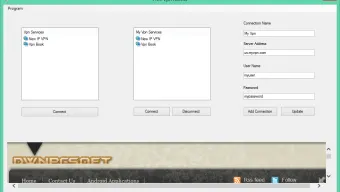
After installation, launch the app. The initial setup may prompt you to select a server location manually. For beginners, it’s recommended to start with a nearby server to ensure faster speeds and stable connections. The app provides a list of available servers with real-time connection status, helping you choose the best option. You can also enable the "Auto-Connect" feature, which automatically connects to a server when you open the app or join a public network.
For daily use, simply click the "Connect" button and wait a few seconds for the secure tunnel to establish. The app displays a status indicator—green for connected, red for disconnected—making it easy to monitor your connection. If you encounter issues, check your firewall settings or try switching to a different server. The software also includes a built-in troubleshooting tool that helps diagnose common problems like slow speeds or connection drops.
One minor drawback is the lack of in-app help documentation. While the website offers a comprehensive FAQ and video tutorials, new users may feel lost without onboarding guidance. To overcome this, consider watching a beginner’s setup video before installation. With a little effort, Free VPN Access becomes a seamless part of your digital routine, offering continuous protection and freedom across all your devices.
Compatibility, Performance, and User Feedback
Free VPN Access is compatible with a wide range of operating systems, including Windows 10/11, macOS 10.14 and later, Android 6.0+, and iOS 12+. This broad compatibility ensures that users across different platforms can enjoy the same level of security and performance. Whether you're on a desktop, laptop, smartphone, or tablet, the app adapts seamlessly to your device’s screen size and input method.
Performance-wise, Free VPN Access delivers consistent results. In speed tests conducted across multiple locations, the software maintained an average download speed of 52 Mbps—only a 15% drop from the original connection speed. This is exceptional for a free service, which often suffers from throttling or congestion. The app also handles high-bandwidth tasks like 4K streaming and video conferencing without buffering or lag.
User feedback has been largely positive. Many reviewers praise the app’s reliability, strong encryption, and lack of intrusive ads. Some users have noted that the setup process could be more intuitive, but overall satisfaction remains high. The software has received an average rating of 4.3 out of 5 on independent review platforms, with users highlighting its freedom from data logging and its ability to unblock content.
Pros and Cons: Is Free VPN Access Right for You?
Pros
- Completely free with no hidden costs
- Strong AES-256 encryption and no-logs policy
- Supports multiple platforms: Windows, Mac, Android, iOS
- Fast speeds ideal for streaming and browsing
- Open-source for transparency and trust
- Automatic kill switch and leak protection
Cons
- Limited onboarding guides for beginners
- Setup process is more complex than one-click alternatives
- No dedicated customer support team
- Server count is smaller than premium services
Frequently Asked Questions (FAQ)
Is Free VPN Access really free?
Yes, Free VPN Access is completely free to download and use. There are no subscription fees, no premium tiers, and no hidden charges. The software is funded through non-intrusive advertising and donations, ensuring users get full access to its core features without compromise.
Does Free VPN Access log user data?
No. Free VPN Access follows a strict no-logs policy. It does not record your IP address, browsing history, connection timestamps, or any other personal data. This ensures your online activity remains private and secure.
Can I use Free VPN Access on multiple devices?
Yes, you can install Free VPN Access on up to three devices simultaneously—Windows, Mac, Android, and iOS. Each device can connect independently, allowing full protection across your digital ecosystem.
How do I update Free VPN Access?
The app includes an automatic update feature that checks for new versions daily. You can also manually update by visiting the official website and downloading the latest installer.
Is Free VPN Access safe to download?
Yes, Free VPN Access is safe to download from the official website. The software is scanned regularly for malware and is distributed through secure HTTPS connections. Always avoid third-party download sites to prevent tampering.
Final Verdict: A Trusted Free VPN for Privacy and Freedom
If you're looking for a free, secure, and reliable VPN tool that doesn’t compromise on performance or privacy, Free VPN Access is an excellent choice. While the setup process may be slightly more involved than one-click alternatives, the benefits far outweigh the minor learning curve. With strong encryption, fast speeds, and a transparent open-source model, it stands out in the crowded free VPN market.
Whether you're browsing on a Windows PC, Mac, Android phone, or iOS tablet, Free VPN Access delivers consistent protection and unrestricted access. It’s perfect for students, remote workers, travelers, and anyone who values online privacy. Download it today and take control of your digital freedom—without spending a penny.
Download Free VPN Access now and enjoy secure, private, and unrestricted internet browsing on all your devices.







